
Built for small nonprofit teams
Raise more without stitching together five tools.
Mission Sumo gives your team donors, campaigns, donation forms, events, email, and reporting in one place. Start your free trial on your own, test real workflows, and bring in more data when you are ready.
Record a gift, launch a form, create a campaign, or set up an event page without waiting for a sales call or a complicated implementation.


Events, donor follow-up, and thank-yous stay connected instead of living in separate tools.

Preferences, notes, gifts, campaigns, and outreach context stay with the donor.
No rep required. Set up your workspace and try the real product immediately.
Create a form, record a manual gift, or spin up an event before you migrate everything.
Start small, then import donors and clean up duplicates when you are confident.
Choose by donor count and team size, then add users as your team grows.
How the free trial works
Mission Sumo is designed so a small nonprofit team can evaluate the product without a complicated rollout.
Pick the task you need most right now: a donation form, a campaign, a donor follow-up workflow, or an event page.
Donors, gifts, campaigns, event registrations, and email live in the same workspace, so the value shows up quickly.
Start small. Add users, import more donors, and expand into email and events once the core workflow already feels better.
What you can do in your first session
This is the fastest path to deciding whether Mission Sumo is a fit.
- Create your first donation form and see the public-facing result.
- Record a manual donation and make sure campaign attribution feels right.
- Create a campaign and watch progress/reporting connect automatically.
- Set up an event ticket type and see registration operations in one place.
- Review the dashboard, reports, and exports your team would actually use.
Keep notes, preferences, giving history, and tags in one record so stewardship feels cleaner right away.
Build public donation forms, connect them to campaigns, and track both online and offline gifts together.
Ticketing, promo codes, registration, and QR check-in live in one workflow instead of multiple patchwork tools.
Dashboards and exports make more sense because your donors, gifts, campaigns, and events are already connected.
See the product before you commit your data
These are live Mission Sumo screens, designed to show the actual workflows a small nonprofit team would use.
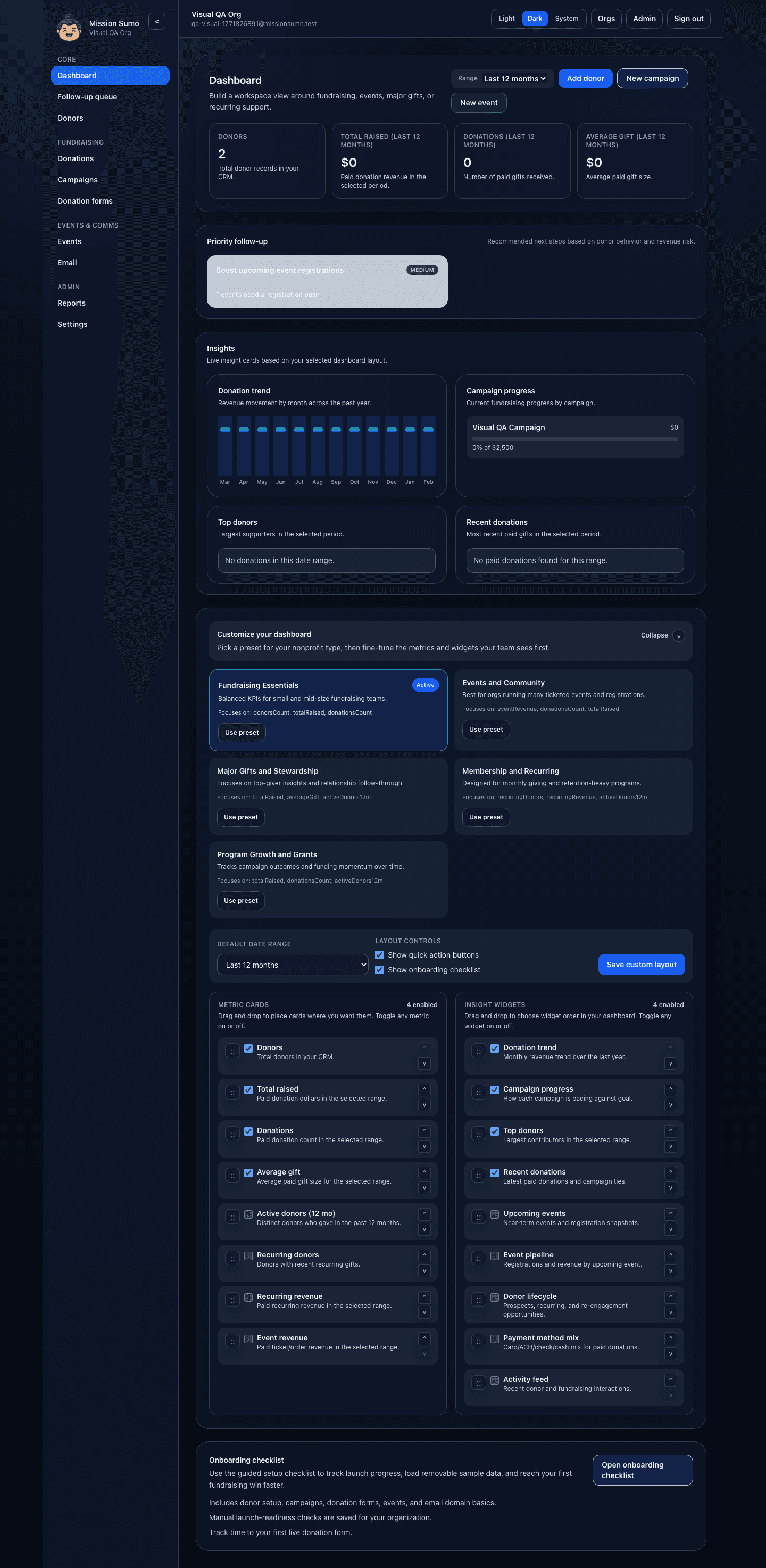
See fundraising totals, next steps, and configurable insight panels without building reports from scratch.
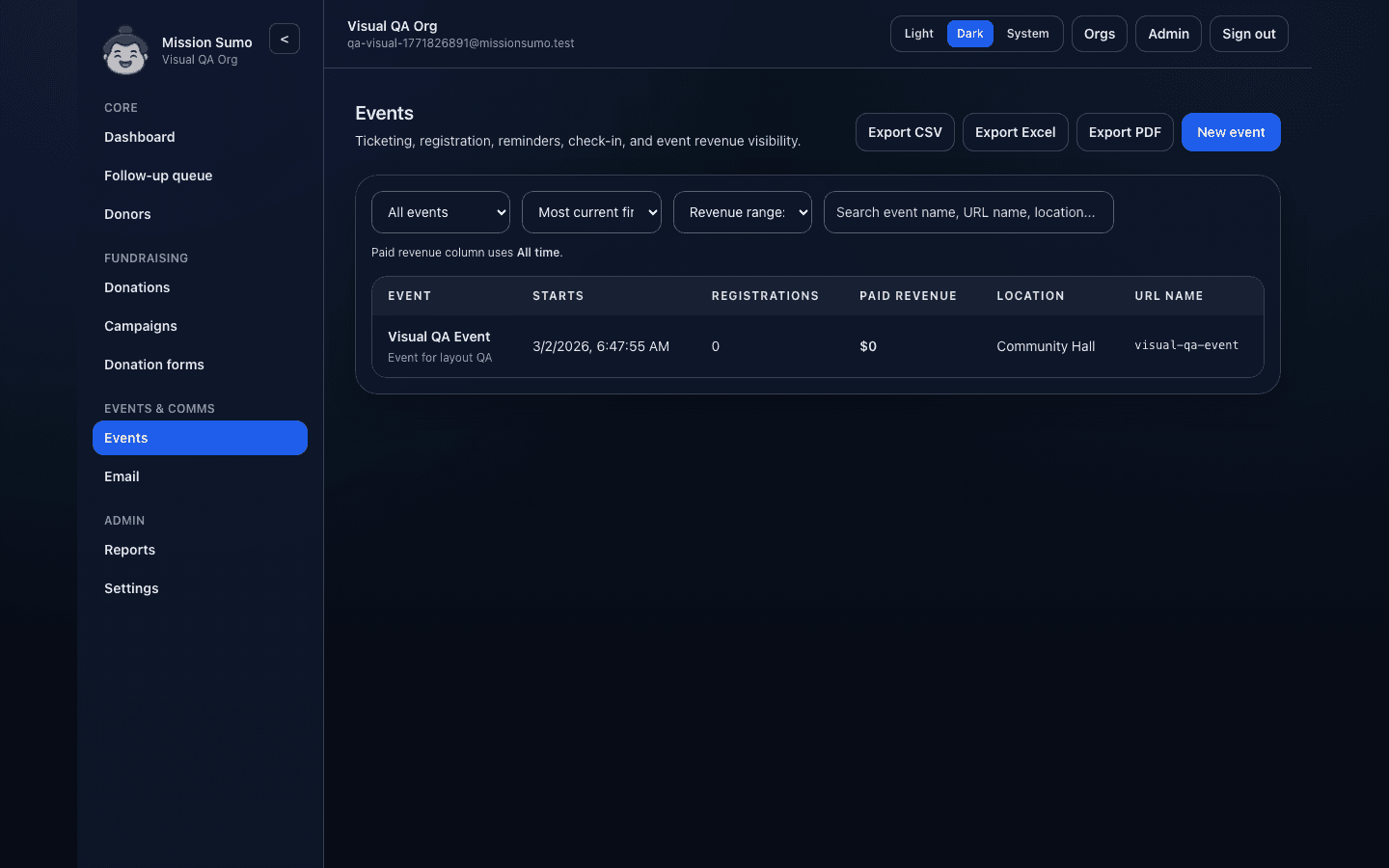
Ticketing, registration, pricing, and check-in stay in one place so event operations feel calmer.
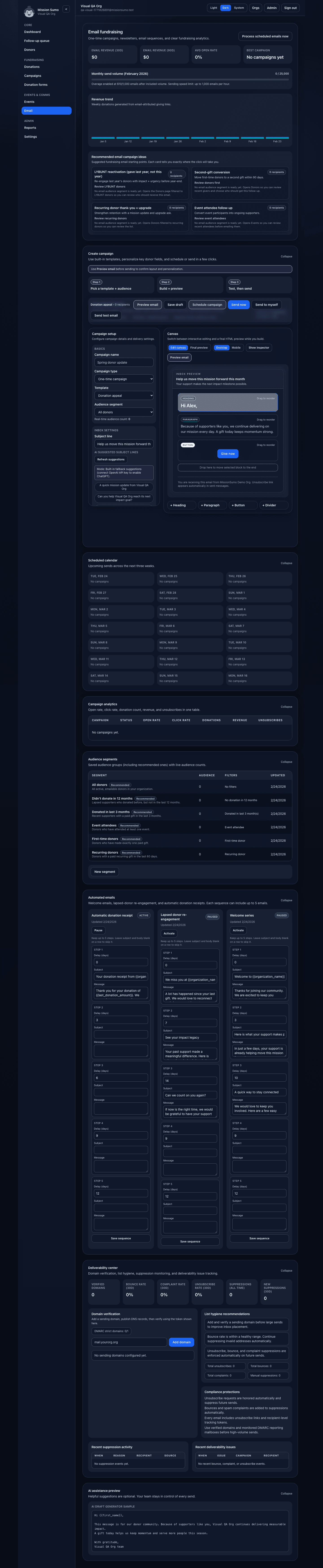
Build, preview, and send fundraising email in the same system where donor segmentation and reporting already live.
Why teams switch to Mission Sumo
Most nonprofits are not shopping for more software. They are trying to escape more chaos.
| Common pain | How Mission Sumo helps |
|---|---|
| Donor info lives in too many places | Keep notes, gifts, preferences, campaigns, and activity in one record |
| Offline gifts cause cleanup later | Record check, cash, ACH, and other gifts with campaign/reporting context included |
| Events create spreadsheet chaos | Keep registration, ticketing, promo codes, and check-in in the same workflow |
| Email feels disconnected from fundraising | Use donor segments and campaign context inside the same system |
| Board/finance reporting takes too long | Use dashboards plus CSV, Excel, and PDF exports without rebuilding the numbers |

Mission Sumo is strongest when one small team needs donor tracking, forms, events, and reporting to work together.
Start with one form, one campaign, or one event. You do not need to overhaul your whole operation on day one to see whether Mission Sumo is a better fit.
Simple pricing when you are ready
Choose a plan by donor count and team size, then add users as your organization grows.
- Start with Starter if you need donor management, campaigns, forms, and core event operations.
- Choose Growth when you need built-in email fundraising and advanced event pricing.
- Upgrade later if your donor file or team size grows. You do not need to overbuy early.

Teams can start with one core workflow, validate the setup, and expand from there instead of committing to a giant implementation.
Review the pricing page for the full feature matrix, email limits, add-on seat math, and plan-fit guidance.
Start the free trial with the workflow you need most
Try Mission Sumo with one form, one campaign, one event, or one donor workflow. You can bring in the rest of your data once the core setup already feels better.