
Product
One connected workspace for donor relationships, fundraising, events, and follow-up
Mission Sumo is built for nonprofits that want one system their team can actually use. Donors, campaigns, forms, events, email, and reporting all stay tied to the same fundraising record.
Small to mid-sized nonprofit teams that need better donor follow-up, cleaner reporting, and less tool-switching.
Start with the workflow your team needs first
You do not have to roll out everything on day one. Most teams start with one urgent workflow, then grow into the rest.
Keep donor history, notes, preferences, tags, and follow-up work in one place so stewardship does not get scattered.
Launch public forms, track campaign progress, and record offline gifts without rebuilding reports later.
Run registration, pricing, promo codes, and QR check-in in the same system that already knows your donors.
Build appeals, segments, and light automations with fundraising-first analytics and deliverability visibility.
What changes after you stop stitching tools together
Mission Sumo is not just about having more features. It is about making everyday fundraising work cleaner, faster, and easier to trust.

Teams can see donor context, campaign progress, and event activity without hunting through separate tools.

Notes, preferences, tags, and giving history stay attached to the person your team is serving.

Mission Sumo is designed for teams that need a system they can actually learn and keep using.
See the connected product experience
These are the kinds of screens your team uses every week once donor work, fundraising, and reporting are in one place.
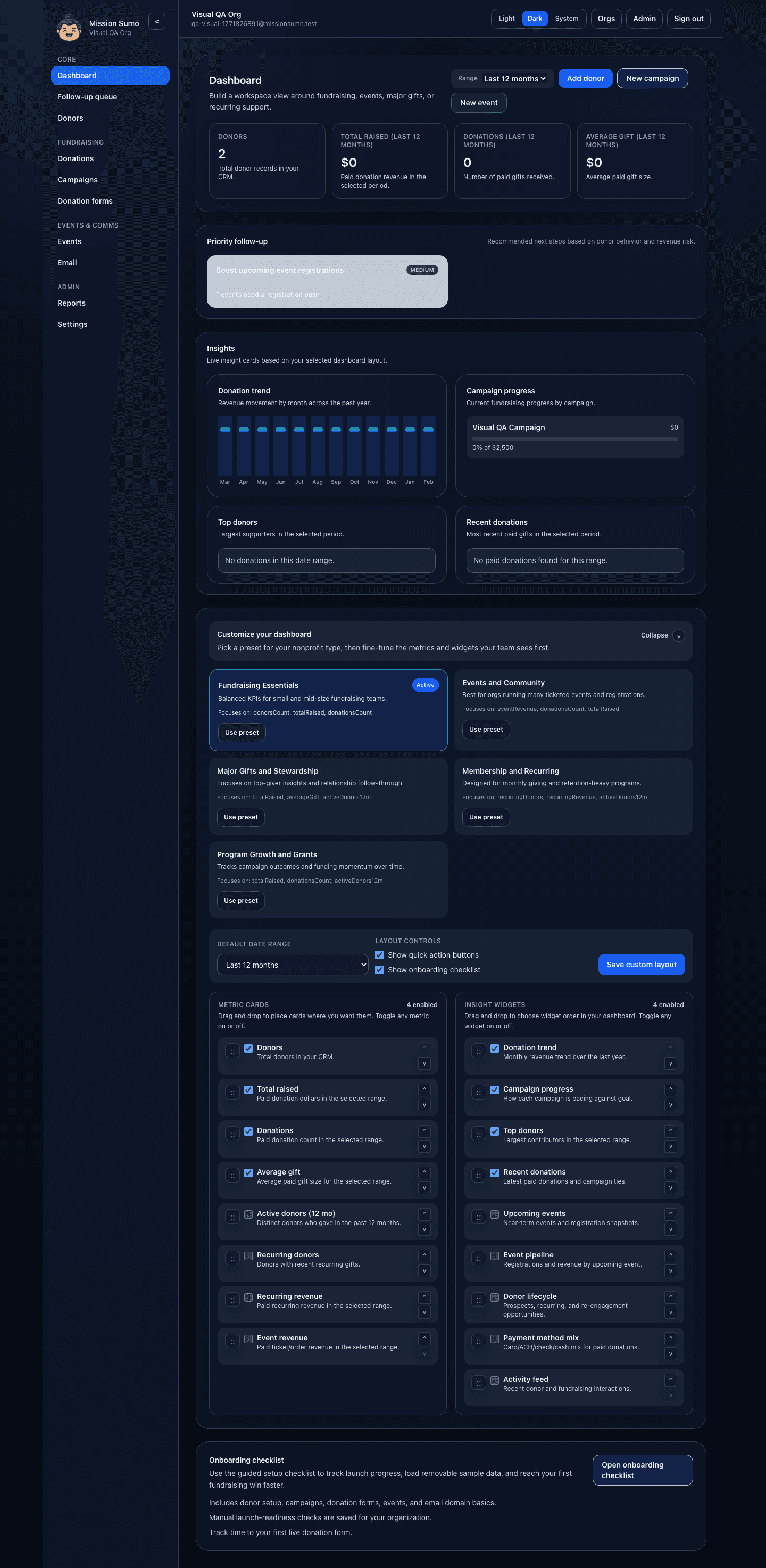
The dashboard surfaces what needs attention now instead of making staff assemble the story manually.
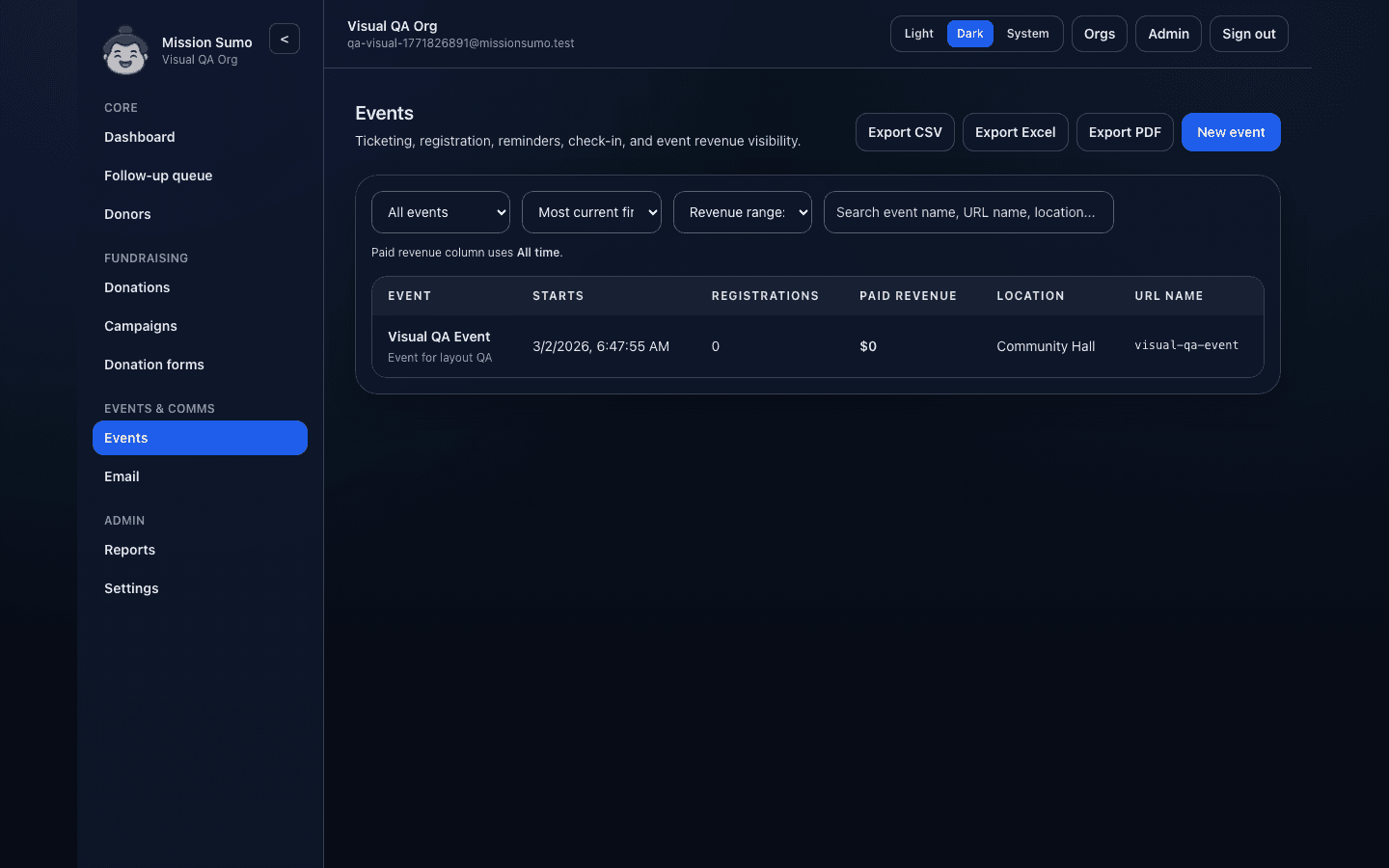
Registration, check-in, and revenue stay connected to your donor and reporting workflows.
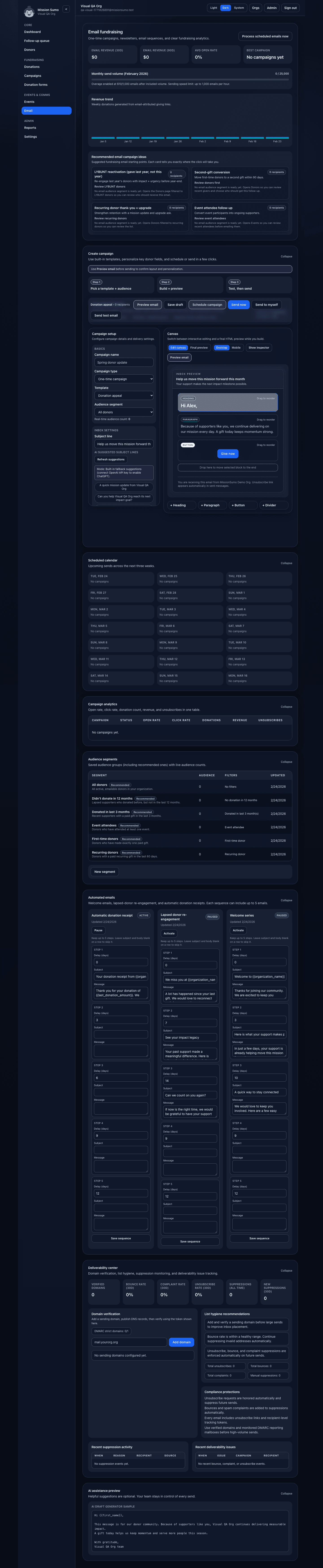
Campaign planning, send analytics, and donor segments stay close to the rest of your fundraising system.
A practical rollout for small teams
Most nonprofits do not need a giant implementation project. They need one good first win, then a clear next step.
Import donors, review duplicates, and create your first saved views.
Create one donation form and one campaign so gifts start landing in the same system.
Bring in events or email after the first reporting and donor workflows feel solid.
Use exports, dashboards, and donor detail views to replace spreadsheet cleanup work.
- Donor CRM with tags, notes, preferences, saved views, duplicate review, and imports.
- Campaigns, donation forms, manual gift entry, and a shared transaction ledger.
- Event registration, ticket pricing, promo codes, QR check-in, and event exports.
- Email campaigns, light automations, deliverability center, and plan-based send controls.
- Dashboards, reporting exports, onboarding tours, and team-role controls.